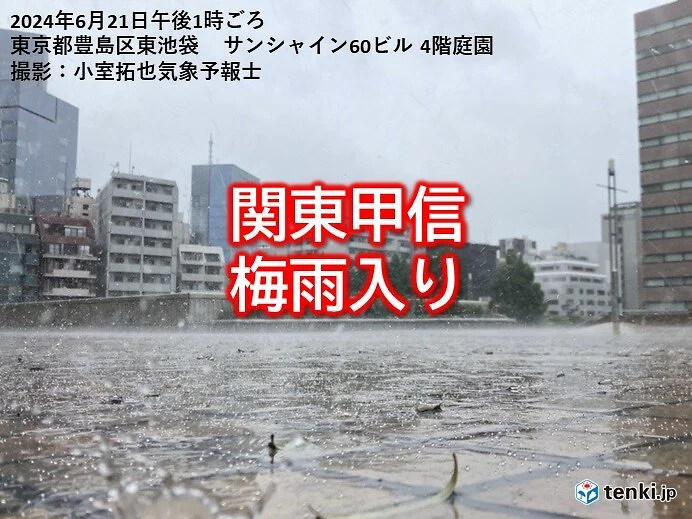
☔梅雨入りだよ☔ pic.twitter.com/BvnKy0x0oh
— Naoyうさぺん (@nao200) June 21, 2024
-
-
Maker’s Mark

今日はこれ。おいしーーーー!

メモ書き。
タスクビュー、バグってるやん。新規に起動したときにデフォルトアイコンが表示される。スクリプトをリロードして動作確認した場合は問題なかったのに、新規で起動された場合はデフォルトのアイコンが…w これは酷い。だめだこりゃー
キーのリマッピングの方は、「Alt」+「1」キーと「Alt}+「3」キーの2回目の押下で動作が違う。画面が大きくなる動作で統一した方がいいのか悪いのか、この辺りは好みの問題かもしれないけど、自分で作成すると細かいところまで自由に直せるのはいいよねえ。作りながら直しながら使えるものができるといいなぁとは思う。明日直せるかな。
あとは不定期のblogの投稿よりは、1か所にまとめて記事があった方がいいよな。AutohotKey V2をインストールしてくださいみたいなところからちゃんと整理して使えるようにしたいけどしばらくはこのままかもしれない。
パブリックドメイン

本サイトで公開する情報は、すべてパブリックドメインに供与いたします。自由に改変していただいて構いません。著作権も含めてすべての権利を放棄いたします。
的なことよりURLのドメインどうするかの方が悩ましい。
https://kozawa.tokyo
https://猫猫猫.tokyo
実名ドメインに戻す?サブドメインとして混ぜる?
https://猫猫猫.kozawa.tokyo
猫猫猫さん、著名人でいたんだよなぁ。ドメイン取得前に気づくべきだった… どうしようかな。
-
タスクビュー
少し修正したので貼っておこー
機能追加
- タスクトレイのアイコンに現在の仮想デスクトップの番号を表示
- タスクトレイのアイコンのメニューからデスクトップを移動
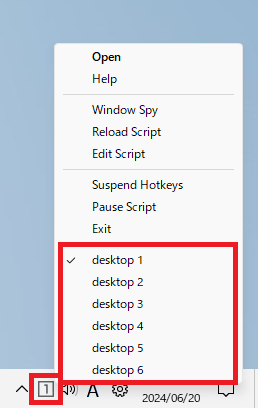
作ったもの
「タスクビュー」のソースファイル
#Requires AutoHotkey v2.0+ #SingleInstance Force ; ---------------------------------------- ; define ; ---------------------------------------- PREV := "Prev" NEXT := "Next" OK := True NG := False BASE_DIR := "C:\tool\taskview\" VDA_PATH := BASE_DIR . "VirtualDesktopAccessor.dll" TRAYICON_PATH := BASE_DIR . "images\" hVirtualDesktopAccessor := DllCall("LoadLibrary", "Str", VDA_PATH, "Ptr") GetDesktopCountProc := DllCall("GetProcAddress", "Ptr", hVirtualDesktopAccessor, "AStr", "GetDesktopCount", "Ptr") GoToDesktopNumberProc := DllCall("GetProcAddress", "Ptr", hVirtualDesktopAccessor, "AStr", "GoToDesktopNumber", "Ptr") GetCurrentDesktopNumberProc := DllCall("GetProcAddress", "Ptr", hVirtualDesktopAccessor, "AStr", "GetCurrentDesktopNumber", "Ptr") MoveWindowToDesktopNumberProc := DllCall("GetProcAddress", "Ptr", hVirtualDesktopAccessor, "AStr", "MoveWindowToDesktopNumber", "Ptr") ; ---------------------------------------- ; helper function ; ---------------------------------------- GetDesktopCount() { count := DllCall(GetDesktopCountProc, "Int") return count } GoToDesktopNumber(number) { if (number > GetDesktopCount()) return ; Win + 左右キーのアニメーションに操作感を合わせるため、 ; 移動前後に0.5秒の待ち時間を設定している(機能的には不要) Sleep 500 DllCall(GoToDesktopNumberProc, "Int", number - 1) Sleep 500 } GetCurrentDesktopNumber() { number := DllCall(GetCurrentDesktopNumberProc, "Int") number++ ; デスクトップ番号を1オリジンで指定するため + 1 return number } MoveWindowToDesktopNumber(number) { WinWaitActive WinExist("A") retry := 0 Loop try { activeHwnd := WinGetID("A") number-- ; dllには0オリジンで渡すため - 1 DllCall(MoveWindowToDesktopNumberProc, "Ptr", activeHwnd, "Int", number, "Int") result := OK break } catch { Sleep 250 result := NG retry++ } until retry == 10 return result } moveWindow(desktop) { current := GetCurrentDesktopNumber() max := GetDesktopCount() if (desktop == PREV) { if (current == 1) { result := MoveWindowToDesktopNumber(max) } else { result := MoveWindowToDesktopNumber(current - 1) } } else if (desktop == NEXT) { if (current == max) { result := MoveWindowToDesktopNumber(1) } else { result := MoveWindowToDesktopNumber(current + 1) } } else { result := MoveWindowToDesktopNumber(desktop) } return result } moveDesktop(desktop) { current := GetCurrentDesktopNumber() max := GetDesktopCount() if (desktop == PREV) { if (current == 1) { GoToDesktopNumber(max) } else { Send "^#{Left}" } KeyWait "Left" } else if (desktop == NEXT) { if (current == max) { GoToDesktopNumber(1) } else { Send "^#{Right}" } KeyWait "Right" } else { GoToDesktopNumber(desktop) } } moveWindowMoveDesktop(desktop) { result := moveWindow(desktop) if (result == OK) moveDesktop(desktop) } ; ---------------------------------------- ; tasktray ; ---------------------------------------- ; メニュー追加 A_TrayMenu.Add() num := 1 Loop GetDesktopCount() { A_TrayMenu.Add("desktop " . num, MenuHandler) num++ } MenuHandler(itemName, itemPos, myMenu) { itemCount := DllCall("GetMenuItemCount", "ptr", A_TrayMenu.Handle) startNum := itemCount - GetDesktopCount() newNum := itemPos - startNum moveDesktop(newNum) } ; タスクトレイ更新 iconNum := 1 Loop { currNum := GetCurrentDesktopNumber() if (iconNum != currNum) { try { ; アイコン TraySetIcon(TRAYICON_PATH . currNum . ".png") ; メニュー num := 1 Loop GetDesktopCount() { A_TrayMenu.Uncheck("desktop " . num) num++ } A_TrayMenu.Check("desktop " . currNum) } iconNum := currNum } Sleep 1000 } ; ---------------------------------------- ; main ; ---------------------------------------- ; アクティブ画面移動 ^+Left:: moveWindow(PREV) ^+Right:: moveWindow(NEXT) ^+F1:: moveWindow(1) ^+F2:: moveWindow(2) ^+F3:: moveWindow(3) ^+F4:: moveWindow(4) ^+F5:: moveWindow(5) ^+F6:: moveWindow(6) ; デスクトップ移動 ^#Left:: moveDesktop(PREV) ^#Right:: moveDesktop(NEXT) ^#F1:: moveDesktop(1) ^#F2:: moveDesktop(2) ^#F3:: moveDesktop(3) ^#F4:: moveDesktop(4) ^#F5:: moveDesktop(5) ^#F6:: moveDesktop(6) ; アクティブ画面/デスクトップ移動 ^#+Left:: moveWindowMoveDesktop(PREV) ^#+Right:: moveWindowMoveDesktop(NEXT) ^#+F1:: moveWindowMoveDesktop(1) ^#+F2:: moveWindowMoveDesktop(2) ^#+F3:: moveWindowMoveDesktop(3) ^#+F4:: moveWindowMoveDesktop(4) ^#+F5:: moveWindowMoveDesktop(5) ^#+F6:: moveWindowMoveDesktop(6) -
キーのリマッピング
少し修正したので貼っておこー
バグ修正
- デスクトップのアイコンを移動させてしまう動作を修正
- 最大化した画面を移動する場合、最大化を解除してから移動するように変更
機能追加
- 「Alt」+「1」「3」の再押下で画面サイズを変更
- マルチモニターに対応(コードは入れたけどテストは未実施)
その他
- タスクトレイのアイコンを1つにまとめるため、以下のスクリプトが存在していたら読み込むように修正。
「C:\tool\taskview\taskview_ext.ahk」
作ったもの
「キーのリマッピング」のソースファイル
https://ahkscript.github.io/ja/docs/v2/misc/Remap.htm
#Requires AutoHotkey v2.0+
#SingleInstance Force

; ----------------------------------------
; define
; ----------------------------------------
; デスクトップ情報
DESKTOP_CLASS := "ahk_class Progman"
DESKTOP_CLASS2 := "ahk_class WorkerW"
DESKTOP_EXE := "ahk_exe explorer.exe"
; Alt「1」/「3」
ROTATION_WIDTH_MINI := 0.3
ROTATION_WIDTH_MAX := 1 - ROTATION_WIDTH_MINI
; Alt「2」
CENTER_WIDTH_SIZE := 0.8
CENTER_WIDTH_START := (1 - CENTER_WIDTH_SIZE) / 2

; グローバル変数
previousKey := ""

; ----------------------------------------
; helper function
; ----------------------------------------

; OS情報取得
getWinOSVersion()
{
	osVersion := StrSplit(A_OSVersion, ".")
	major := osVersion[1]
	minor := osVersion[2]
	build := osVersion[3]
	if (major == "10")
		if (minor == "0")
			if (build >= "20000")
				return 11
	return 10
}

; アクティブ画面のモニター番号取得
getMonitorNumberOfActiveWindow()
{
	WinGetPos(&x, &y, , , "A")
	monitorCount := MonitorGetCount()
	Loop monitorCount {
		MonitorGet(A_Index, &left, &top, &right, &bottom)
		if (x >= left
			and x <= right
			and y >= top
			and y <= bottom) {
			return A_Index
		}
	}
	return 1
}

; ディスプレイ情報取得
getDisplayInfo(monitorNum, &x, &y, &width, &height)
{
	if (monitorNum.Length > 0) {
		displayNum := monitorNum[1]
	} else {
		displayNum := getMonitorNumberOfActiveWindow()
	}
	MonitorGetWorkArea(displayNum, &left, &top, &right, &bottom)
	x := left
	y := top
	width := right - left
	height := bottom - top
}

; 画面位置取得
getWindowPosition(monitorNum, windowPosition, &x, &y, &width, &height)
{
	; ディスプレイ情報取得
	getDisplayInfo(monitorNum, &x, &y, &width, &height)

	; 画面サイズ補正
	; 画面の左,右,下に隙間が空くので補正する。
	; ウインドスタイル「WS_SYSMENU」が設定されていない画面は補正なし。(例:VSCode)
	edge := 0
	if (getWinOSVersion() == 11) {
		style := WinGetStyle("A")
		if (style & 0x00080000) { ; WS_SYSMENU
			edge := 7 ; px
		}
	}

	; 画面位置計算
	if (windowPosition == "1min") {
		x := x - edge
		y := y
		width := width * ROTATION_WIDTH_MINI + edge * 2
		height := height + edge
	}
	if (windowPosition == 1) {
		x := x - edge
		y := y
		width := width / 2 + edge * 2
		height := height + edge
	}
	if (windowPosition == "1max") {
		x := x - edge
		y := y
		width := width * ROTATION_WIDTH_MAX + edge * 2
		height := height + edge
	}
	if (windowPosition == 2) {
		x := width * CENTER_WIDTH_START
		y := y
		width := width * CENTER_WIDTH_SIZE + edge * 2
		height := height + edge
	}
	if (windowPosition == "3min") {
		x := width * ROTATION_WIDTH_MINI - edge
		y := y
		width := width * ROTATION_WIDTH_MAX + edge * 2
		height := height + edge
	}
	if (windowPosition == 3) {
		x := width / 2 - edge
		y := y
		width := width / 2 + edge * 2
		height := height + edge
	}
	if (windowPosition == "3max") {
		x := width * ROTATION_WIDTH_MAX - edge
		y := y
		width := width * ROTATION_WIDTH_MINI + edge * 2
		height := height + edge
	}
	if (windowPosition == "q") {
		x := x - edge
		y := y
		width := width / 2 + edge * 2
		height := height / 2 + edge
	}
	if (windowPosition == "a") {
		x := x - edge
		y := height / 2 + y
		width := width / 2 + edge * 2
		height := height / 2 + edge
	}
	if (windowPosition == "w") {
		x := width / 2 - edge
		y := y
		width := width / 2 + edge * 2
		height := height / 2 + edge
	}
	if (windowPosition == "s") {
		x := width / 2 - edge
		y := height / 2 + y
		width := width / 2 + edge * 2
		height := height / 2 + edge
	}
	OutputDebug("x=" x " y=" y " width=" width " height=" height " windowPosition=" windowPosition)
}

; 画面位置設定
setWindowPosition(windowPosition, monitorNum*) {
	global previousKey
	try {
		; デスクトップのアイコンが移動してしまうのでガード
		activeHwnd := WinGetID("A")
		GroupAdd("Desktop", DESKTOP_CLASS " " DESKTOP_EXE)
		GroupAdd("Desktop", DESKTOP_CLASS2 " " DESKTOP_EXE)
		desktopHwnd := WinGetID("ahk_group Desktop")
		if (activeHwnd == desktopHwnd)
			return

		; 画面の最大化を解除
		if (WinGetMinMax(activeHwnd) == 1)
			WinRestore(activeHwnd)

		; 「1」再押下で画面幅を変更
		if (windowPosition == 1) {
			if (previousKey == 1) {
				windowPosition := "1max"
			} else if (previousKey == "1max") {
				windowPosition := "1min"
			} else if (previousKey == "1min") {
				windowPosition := 1
			}
		}
		; 「3」再押下で画面幅を変更
		if (windowPosition == 3) {
			if (previousKey == 3) {
				windowPosition := "3max"
			} else if (previousKey == "3max") {
				windowPosition := "3min"
			} else if (previousKey == "3min") {
				windowPosition := 3
			}
		}

		; 移動位置取得
		getWindowPosition(monitorNum, windowPosition, &x, &y, &width, &height)

		; 画面移動
		WinMove(x, y, width, height, activeHwnd)

		; 前回の移動先保存
		previousKey := windowPosition
	}
}

; ----------------------------------------
; main
; ----------------------------------------

; 矢印キー × 5
^Up:: Send "{UP 5}"
^Down:: Send "{Down 5}"
^Left:: Send "{Left 5}"
^Right:: Send "{Right 5}"

; 上下左右
^*i:: Send "{UP}"
^*k:: Send "{Down}"
^*j:: Send "{Left}"
^*l:: Send "{Right}"
^*u:: Send "{Home}"
^*o:: Send "{End}"

; 削除
^*h:: Send "{BS}"

; 画面移動(左/中央/右)
!1:: setWindowPosition("1")
!2:: setWindowPosition("2")
!3:: setWindowPosition("3")

; 画面移動(左上/左下/右上/右下)
!q:: setWindowPosition("q")
!a:: setWindowPosition("a")
!w:: setWindowPosition("w")
!s:: setWindowPosition("s")

; 音量調整
^F10:: Send "{VOLUME_MUTE}"
^F11:: Send "{VOLUME_DOWN}"
^F12:: Send "{VOLUME_UP}"

; 仮想デスクトップ
#Include "*i C:\tool\taskview\taskview_ext.ahk"
Ctrl + 矢印キー:矢印キー5回連打
Ctrl + iキー :上キー
Ctrl + kキー :下キー
Ctrl + jキー :左キー
Ctrl + lキー :右キー
Ctrl + uキー :Homeキー
Ctrl + oキー :Endキー
Ctrl + hキー :BackSpace
Alt + 1キー :アクティブ画面左寄せ*
Alt + 2キー :アクティブ画面中央寄せ
Alt + 3キー :アクティブ画面右寄せ*
Alt + qキー :アクティブ画面左上寄せ
Alt + aキー :アクティブ画面左下寄せ
Alt + wキー :アクティブ画面右上寄せ
Alt + sキー :アクティブ画面右下寄せ
Ctrl + F10 :音量ミュート
Ctrl + F11 :音量Down
Ctrl + F12 :音量UP*:機能追加
アクティブ画面の移動先モニターの指定
setWindowPosition関数の第2引数にモニター番号を指定します。
例:
!1:: setWindowPosition("1", 1)
!2:: setWindowPosition("2", 1)
!3:: setWindowPosition("3", 1)
!4:: setWindowPosition("1", 2)
!5:: setWindowPosition("2", 2)
!6:: setWindowPosition("3", 2)
上記の例では、「Alt」+「1~3」キーでプライマリモニタに、「Alt」+「4~6」キーでセカンダリモニターに、画面移動します。(動作未確認)
例:
!1:: setWindowPosition("1")
!2:: setWindowPosition("2")
!3:: setWindowPosition("3")
省略時は、アクティブ画面が存在しているモニターで画面移動します。
! = Alt
^ = Ctrl
+ = Shift
# = Win…φ(. . )メモメモ
-
読む!
-
ウイスキーハイボール 戸河内
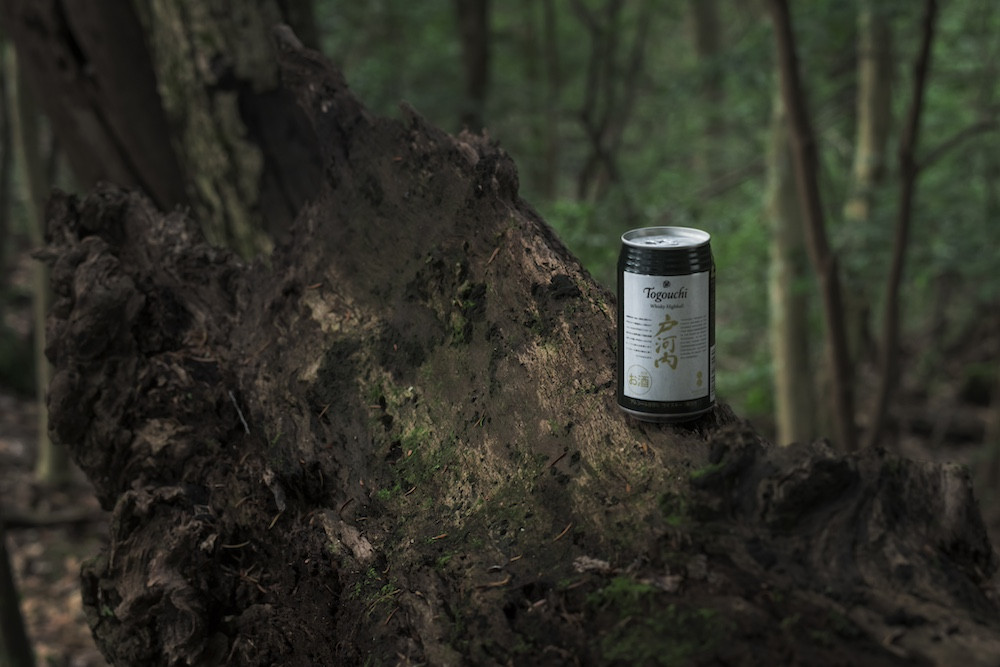
今日はこれ。おいしーーーー!
Categories
- Tweets
- 日本映画
- リメイク映画
- 韓国映画
- 実際の出来事に基づいた映画
- 香港映画
- アメリカ映画
- ドキュメンタリー映画
- 外国映画
- アニメ
- スリラー
- ホラー
- 伝記
- 犯罪
- SF
- アクション
- コメディ
- サスペンス
- ドラマ
- ファンタジー
- ロマンス
- TV番組
- Likes
- Developments
- WordPress
- Raspberry Pi
- その他
Recommend books
Books I read recently and wanted to share. 📍
成瀬は天下を取りにいく

世界秩序が変わるとき 新自由主義からのゲームチェンジ

1%の革命 ビジネス・暮らし・民主主義をアップデートする未来戦略

22世紀の資本主義 やがてお金は絶滅する

松岡まどか、起業します AIスタートアップ戦記

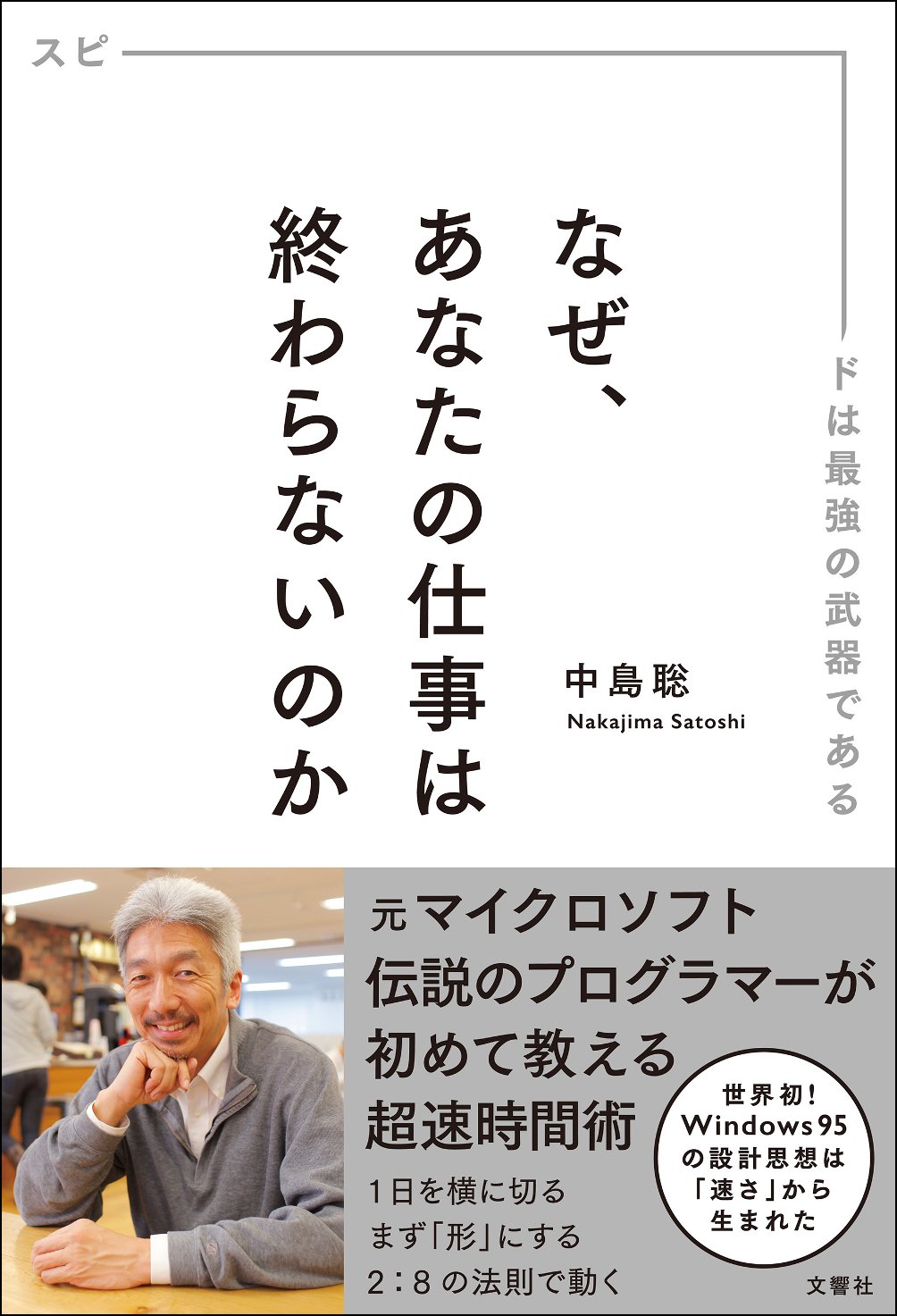
なぜ、あなたの仕事は終わらないのか
私が見た未来

それなら、それで

サーキット・スイッチャー

Archive
- 2025年12月
- 2025年11月
- 2025年10月
- 2025年9月
- 2025年8月
- 2025年7月
- 2025年6月
- 2025年5月
- 2025年4月
- 2025年3月
- 2025年2月
- 2025年1月
- 2024年12月
- 2024年11月
- 2024年10月
- 2024年9月
- 2024年8月
- 2024年7月
- 2024年6月
- 2024年5月
- 2024年4月
- 2024年3月
- 2024年2月
- 2024年1月
- 2023年12月
- 2023年11月
- 2023年10月
- 2023年9月
- 2023年8月
- 2023年7月
- 2023年6月
- 2023年5月
- 2023年4月
- 2023年3月
- 2023年2月
- 2023年1月
- 2022年12月
- 2022年3月
- 2022年2月